The Rise of Digital Clutter: Why Your Phone Might Be Making You Tired
Your room can be perfectly clean while your mind feels completely crowded.
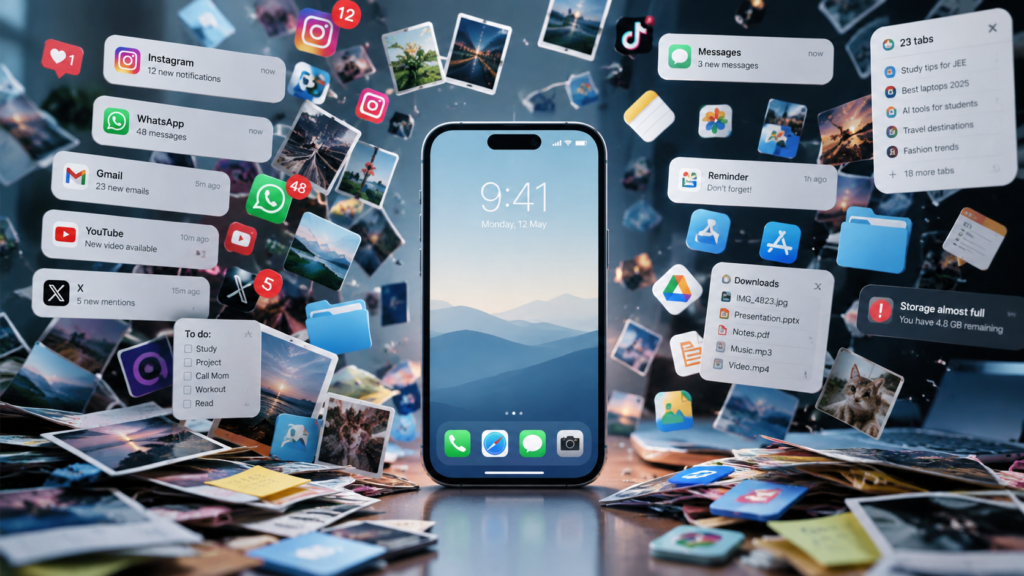
Hundreds of notifications.
Thousands of photos.
Unread messages.
Dozens of browser tabs.
Apps you haven’t opened in months.
Videos saved to watch “later.”
Screenshots you don’t remember taking.
We often talk about physical clutter, but there is another kind that has quietly become part of everyday life:
Digital clutter.
What Is Digital Clutter?
Digital clutter is the accumulation of unnecessary information and digital items across your devices.
It can include:
- Unused apps
- Old screenshots
- Duplicate photos
- Thousands of unread emails
- Random downloads
- Unorganized files
- Too many notifications
- Social-media accounts you no longer use
- Browser tabs that have been open for weeks
One file doesn’t seem like a problem.
One notification doesn’t seem like a problem either.
But hundreds of tiny distractions can eventually make your digital environment feel overwhelming.
Why Do We Keep Everything?
One reason is the fear of losing something important.
A screenshot might be useful someday.
A photo might become meaningful later.
A bookmarked page might contain something valuable.
So instead of deciding whether we actually need something, we simply keep it.
The result?
Our devices become digital storage rooms.
And unlike a physical cupboard, digital storage can grow almost invisibly.
Notifications Are Tiny Interruptions
A notification may take only a few seconds to check.
But the interruption can be larger than those few seconds.
You might open a message, notice another notification, check an app, see a video, and suddenly several minutes have disappeared.
Not every notification deserves immediate attention.
A useful digital habit is to ask:
“Does this need my attention right now?”
If the answer is no, it may not need to be a notification.
The One-Hour Digital Reset
You don’t need to delete your entire digital life.
Try a simple one-hour reset.
First 10 minutes: Notifications
Turn off notifications that aren’t genuinely useful.
Next 15 minutes: Apps
Delete apps you haven’t used in months.
First 10 minutes: Notifications
Remove obvious duplicates, blurry pictures, and accidental screenshots.
Next 10 minutes: Downloads
Clear files you no longer need.
Last 10 minutes: Home Screen
Keep only the apps you actually use regularly on your main screen.
That’s it.
You don’t need a complicated productivity system.
Don’t Turn Organization Into Another Chore
Digital organization can become excessive too.
You don’t need twelve folders for your photographs.
You don’t need to rename every file you’ve ever created.
You don’t need a perfectly aesthetic home screen.
The goal isn’t perfection.
The goal is less friction.
Your phone should help you find things quickly rather than make you search through hundreds of unnecessary items.
A Simple Rule for the Future
Before downloading an app, saving a screenshot, or subscribing to something, ask:
“Will I realistically use this again?”
If the answer is probably no, don’t save it.
And once a month, spend a few minutes cleaning your digital space.
Think of it like cleaning your room.
You don’t wait until you can’t walk through it.
Final Thought
Our digital lives are becoming bigger every year.
More photos.
More messages.
More apps.
More information.
But having access to more doesn’t necessarily make life easier.
Sometimes, the smartest digital upgrade isn’t downloading another app.
It’s removing the things you don’t need.
A cleaner digital space won’t solve every problem—but it can give your attention a little more room to breathe.